Last updated: November 2, 2026
What are MCP security best practices? MCP security best practices are the controls that stop Model Context Protocol servers, clients and the links between them from being turned against you. In 2026 they cover least privilege, pinned tool definitions, sandboxing, OAuth with audience checks, human approval for risky actions and full logging. The hard part is enforcing them at runtime, not writing them down.
TL;DR: Key Takeaways
- 55% of 100 surveyed CISOs already run MCP servers or other agent integrations in production, and 46% worry about agents exceeding their permissions (Andreessen Horowitz, 2026).
- In a benchmark of 1,348 tool poisoning test cases on 45 live MCP servers, the most exposed model reached a 72.8% attack success rate (MCPTox, 2025).
- The same study found that no tested model refused more than 3% of poisoned instructions, so model alignment alone is not a control (MCPTox, 2025).
- OWASP lists 9 key MCP risks and 12 control areas, and its current guidance says to hash the complete tool definition when pinning (OWASP, 2026).
- The MCP specification requires clients to send the RFC 8707
resourceparameter and forbids token passthrough (MCP specification, 2026).
At a glance: the MCP security checklist for 2026
Quick Answer
Which MCP security best practices matter most?
Start with four controls: least-privilege credentials per server, pinned and reviewed tool definitions, sandboxed local servers, and OAuth tokens bound to the right audience. Then add human approval for destructive actions and central logging. Each item below names who owns it, the server builder, the client or host, or both.
| Control | MCP servers | MCP clients and hosts | Shared |
|---|---|---|---|
| Least privilege | Narrow scopes, per-tool permissions | Request baseline scopes only | Short-lived tokens, no shared credentials |
| Tool definition integrity | Version and document every change | Show full definitions, hash and pin them | Re-approve on any change |
| Sandboxing | Ship a container or restricted profile | Launch local servers with minimal access | Deny network and file access by default |
| Authorization | Validate audience, never pass tokens through | Send resource, use PKCE with S256 | HTTPS everywhere except loopback |
| Human approval | Mark destructive tools honestly | Confirm risky calls with full parameters | Treat annotations as hints, not proof |
| Input and output checks | Strict JSON Schema, sanitize inputs | Treat tool output as untrusted data | Block SSRF with allowlists |
| Supply chain | Sign releases, scan dependencies | Install only from an approved registry | Keep an inventory with owners |
| Logging | Log every call with user context | Alert on new or unusual tools | Redact secrets, feed a SIEM |
How we compared
On November 2, 2026 we reviewed the OWASP MCP Security Cheat Sheet and two MCP spec pages for version 2026-07-28. We also read OWASP GenAI's third-party server guide, NSA guidance from May 2026, Trail of Bits research and the MCPTox benchmark. The table is our synthesis.
What MCP security best practices cover in 2026
MCP security best practices protect three things: the server that exposes tools, the client and host that let a model call them, and the trust boundary between servers. They matter because the model, not the developer, decides which tool to call and with what arguments. That turns tool metadata and tool output into attack surface.
According to OWASP (2026), MCP lets LLMs decide which tools to invoke, when and with what parameters. That mix creates risks that blend prompt injection, supply chain attacks and confused deputy problems. The cheat sheet groups them into nine key risks, from tool poisoning and rug pulls to sandbox escapes and message replay.
The guidance has also moved this year. The MCP Security Best Practices for spec version 2026-07-28 now say MCP is stateless with no protocol-level sessions. The old session hijacking advice became "state handle hijacking," where servers must not treat a cart ID or workflow ID as authentication. If you wrote your controls against the 2025 spec, recheck them.
Ownership differs by role. Server builders own validation, scopes and honest annotations. Client teams own consent, sandboxing and pinning. Platform teams own the registry, gateway and logs. If you need the fundamentals first, start with our MCP security guide, then use this checklist.
Least privilege and credentials
Give each MCP server only the permissions its tools need, with its own short-lived credentials. Never share a token across servers. Request narrow OAuth scopes and add privileges only when a tool needs them. This limits the blast radius when a token leaks or a model is tricked into misusing a tool.
The MCP Security Best Practices (2026) advise a progressive scope model. Start with a minimal scope for low-risk discovery and reads, then raise privileges through targeted WWW-Authenticate scope challenges when a privileged tool is first called. It flags wildcard scopes such as * or full-access as a common mistake.
OWASP (2026) advises storing OAuth tokens in OS-native secure storage such as macOS Keychain or Windows Credential Manager, and never in plaintext MCP config files. Prefer ephemeral tokens over long-lived personal access tokens.
| Do | Avoid |
|---|---|
| One credential per server, scoped to its tools | One shared API key for every server |
mail.readonly when the tool only reads | mail.full_access "just in case" |
| Short-lived tokens with refresh rotation | Long-lived tokens in mcp.json |
| Step-up scopes for privileged tools | Requesting the full scope catalog up front |
| Secrets in the OS keychain or a vault | Secrets in source code or logs |
Tool definitions and supply chain: pinning, poisoning and rug pulls
Treat every tool definition as untrusted input. Show the full definition before approval, hash the complete definition, pin it, and require review when it changes. Install servers only from a vetted registry. These steps address tool poisoning, where instructions hide in metadata, and rug pulls, where a trusted tool changes after approval.
According to Trail of Bits (2025), MCP servers can attack users before any tool is called. It named this "line jumping." The client adds tool descriptions to the model's context on connection, so a poisoned description can steer how the model uses other servers' tools. MCPTox (2025) measured this at scale. Across 20 model settings the average attack success rate was 36.5%, and the most capable models were often the most exposed.
OWASP (2026) now advises hashing the complete tool definition, including inputSchema, outputSchema and annotations, not only the description. A flipped readOnlyHint or destructiveHint can change approval behavior with no visible text change. Pinning detects metadata changes only, not changes in server code.
The OWASP GenAI guide (2025) advises registry-only discovery, version pinning with checksums and a staged rollout before production. Also check package names for typosquatting. Our guide to an MCP registry and allowlist covers how to run that approval flow.
Sandboxing and multi-server isolation
Run local MCP servers in a sandbox with minimal file system, network and credential access. Treat each server as its own security domain, so one server cannot read another's data or steer its tools. Local stdio avoids an open port but does not restrict what the process can reach.
The MCP Security Best Practices (2026) warn that local servers run with the same privileges as the client. Clients with one-click setup must show the exact command, without truncation, and require explicit approval. According to NSA (2026), each tool's execution context should be isolated with OS-level controls such as seccomp, AppArmor, SELinux or Windows AppContainers.
| Deployment | Main risk | Baseline controls |
|---|---|---|
| Local server over stdio | Code runs with the user's privileges | Container or OS sandbox, allowlisted directories, no network by default |
| Local server over Streamable HTTP | Other local processes or DNS rebinding reach it | Bind to localhost, require a token, validate Origin and Host |
| Remote server over Streamable HTTP | Token theft, SSRF, cross-tenant access | TLS, OAuth 2.1 with audience checks, rate limits, egress controls |
| Several servers in one host | Cross-server shadowing and data flows | Separate sensitive servers, monitor cross-server flows, route through a gateway |
Between servers, OWASP (2026) advises blocking descriptions that reference another server's tools, watching for credentials crossing servers and using an MCP proxy or gateway to enforce those policies.
Authorization, tokens and transport
For remote servers, follow the MCP OAuth 2.1 profile. Clients send the resource parameter and use PKCE with S256. Servers accept only tokens issued for them and never pass a client's token to an upstream API. Serve all authorization endpoints over HTTPS and validate redirect URIs exactly.
According to the MCP Authorization Security Considerations (2026), clients must refuse to proceed if authorization server metadata lacks code_challenge_methods_supported. Authorization servers should issue short-lived access tokens and must rotate refresh tokens for public clients. Token passthrough is explicitly forbidden because it breaks audit trails and lets a stolen token turn the server into an exfiltration proxy.
To avoid the confused deputy problem, an MCP proxy using a static client ID must collect per-client consent before forwarding the user. The best practices page adds exact redirect URI matching and single-use state values that expire quickly, for example in 10 minutes.
The spec also warns that a malicious server can point OAuth discovery URLs at internal addresses such as 169.254.169.254. Server-side clients should block private IP ranges and enforce HTTPS. Clients must also reject javascript: and other dangerous URL schemes and never open URLs through a shell. For flows and examples, see our MCP authentication guide.
Human approval, logging and tool output checks
Require explicit human approval for destructive, financial or data-sharing tool calls, and show the full parameters, not a summary. Log every call with user context. Treat every tool response as untrusted data that may carry injected instructions, even from approved servers.
OWASP (2026) points to the spec's rule that hosts must obtain explicit user consent before invoking tools, and that humans should be able to deny a call. It warns that tool annotations are hints and must be treated as untrusted unless the server is trusted. Trail of Bits (2025) warns that when users approve commands they do not understand, "human-in-the-loop" becomes "human-as-the-rubber-stamp."
So back approvals with code. Enforce authorization in trusted application code, independent of what the model concludes. OWASP (2026) notes that tag stripping and pattern detection help with alerting but cannot prove that remaining text is safe.
Log each invocation with parameters, user and timestamp, redact secrets and send it to your SIEM. Alert on new tools and abnormal call frequency. Our MCP prompt injection guide shows how injected tool output plays out in practice.
Security and governance: enforcing MCP security best practices at runtime
Most checklists stop at advice. Enterprise risk sits in the gap between a written policy and the tool call that runs at 2 a.m. Prompt injection, data leakage and tool misuse all happen at runtime, so the controls that matter most are the ones a policy point can enforce on every request.
According to Andreessen Horowitz (2026), which surveyed 100 CISOs at companies with more than 1,000 employees, 55% have MCP servers or other agent-to-application integrations in production. 47% list employees leaking sensitive data into AI tools among their biggest worries, and 46% cite agents exceeding their permissions or being compromised. MCPTox (2025) found refusal rates below 3% against tool poisoning, so you cannot rely on the model to say no.
| Checklist item | Where it is enforced |
|---|---|
| Server allowlist and registry | Gateway in front of every MCP server |
| Pinned tool definitions and change alerts | Gateway or client, on every connection |
| Prompt injection checks on tool output | Runtime inspection before the model sees it |
| Data leakage and secrets in calls | Runtime inspection of arguments and responses |
| Inventory of agents and servers | Posture management |
| Proof that controls hold | Red teaming before and after releases |
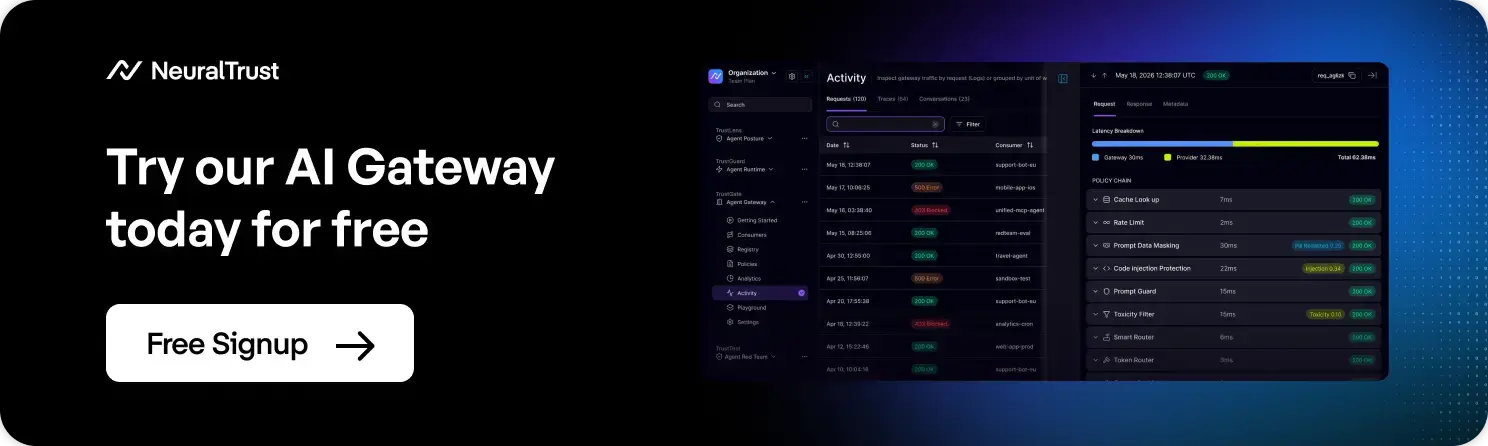
NeuralTrust approaches this as a Runtime Security Mesh. The Agent Gateway (TrustGate) is an AI gateway with a catalog of nearly 200 pre-built MCP servers, giving one enforcement point for MCP traffic. Agent Runtime Security (TrustGuard) covers runtime protection. Agent Posture Management (TrustLens) supports inventory and posture, and AI Red Teaming (TrustTest) tests whether controls hold. NeuralTrust deploys as SaaS, hybrid or on-premises.
Which should you choose?
You cannot ship every control in week one, so pick by role and exposure. Server builders start with scopes, validation and honest annotations. Teams running many third-party servers start with a registry, pinning and a gateway. Regulated teams put logging and human approvals first.
| If you are | Start with | Then add |
|---|---|---|
| A developer building an MCP server | Strict schemas, narrow scopes, audience validation | Signed releases, honest tool annotations |
| A team using third-party servers in an IDE | Sandboxed local servers, full definition review | Pinning with change alerts, approved registry |
| A platform team running agents at scale | Central gateway, allowlist, per-server credentials | Runtime injection checks, SIEM logging |
| A security team in a regulated industry | Human approval for sensitive actions, full audit logs | Red teaming, posture reviews for every agent |
| A team exposing a remote MCP server | OAuth 2.1 with PKCE and resource, HTTPS | Rate limits, SSRF and egress controls |
Conclusion
MCP security best practices in 2026 come down to a short list: least privilege, pinned tool definitions, sandboxing, audience-bound OAuth, human approval and logging. The standards from OWASP, the MCP specification and NSA largely agree on that list. The difference between teams is enforcement. With tool poisoning succeeding at high rates in testing and models rarely refusing, put the checklist where every call passes through it, then test it regularly.
Secure MCP Servers in Production with NeuralTrust
Turn this checklist into policies that run on every MCP call, with one gateway, runtime checks and red teaming.
Related reading
FAQs about MCP Security Best Practices
1. What are MCP security best practices?
They are the controls that keep Model Context Protocol servers and clients from being misused. The core list covers least-privilege credentials, pinned tool definitions, sandboxed local servers and OAuth 2.1 with audience validation. It also includes human approval for sensitive actions, input validation, a vetted registry and full logging. OWASP and the MCP specification publish the reference versions.
2. Is MCP secure by default?
No. The protocol gives you building blocks, but many protections are optional or left to implementers. OWASP notes that authorization is optional in the protocol, and local servers run with the client's privileges unless you sandbox them. Security depends on how you configure servers, clients and the controls between them.
3. What is MCP tool poisoning?
Tool poisoning is a form of indirect prompt injection where malicious instructions hide in a tool's description, parameters or schema. The model reads that metadata when it connects, so the attack can work even if the poisoned tool is never called. Trail of Bits calls the same issue line jumping.
4. What is an MCP rug pull attack?
A rug pull happens when a server changes a tool's definition after you approved it, turning a trusted tool malicious. The defense is to hash and pin the complete approved definition, including schemas and annotations, and to require a new review whenever the hash changes. Pinning catches metadata changes but not hidden code changes.
5. Should local MCP servers use stdio or HTTP?
The MCP Security Best Practices recommend stdio for servers meant to run locally, because it limits access to the MCP client. stdio does not sandbox the process, though. If you use HTTP locally, the transport specification says to bind to localhost and validate the Origin header, and the best practices add an authorization token or restricted IPC such as unix domain sockets.
6. Are there official Anthropic MCP security best practices?
Anthropic introduced MCP in November 2024, and the official security guidance now lives in the MCP documentation at modelcontextprotocol.io. The two key pages are Security Best Practices and Authorization Security Considerations, versioned with the spec. OWASP's MCP Security Cheat Sheet and NSA's May 2026 guidance complement them with broader operational controls.
7. Do I need an MCP gateway to follow these best practices?
Not strictly, but it helps at scale. OWASP suggests using an MCP proxy or gateway to enforce isolation policies between servers. A gateway gives you one place for allowlists, credential handling, logging and runtime checks, instead of configuring each client and server separately. Small single-server setups can rely on client controls.
About the Author
Roger Howroyd is Head of Global SEO and AI at NeuralTrust, where he leads the company's search strategy across SEO, AEO, GEO, and LLM optimization. He specializes in AI-powered search, content strategy, and SEM. Connect on LinkedIn.
NeuralTrust is the leading platform for securing and scaling AI agents. Named a Pioneer in the Gartner Emerging Market Quadrant for AI Application Security 2026, recognized across four Gartner Hype Cycle reports in 2026, and featured in the Gartner Market Guide for Guardian Agents 2026, the Gartner Market Guide for AI Gateways 2025 and the KuppingerCole Leadership Compass for Generative AI Defense 2025. Headquartered in Barcelona with offices in London and New York. ISO 27001 certified.
Sources
Accessed on November 2, 2026.
- OWASP Cheat Sheet Series, "MCP Security Cheat Sheet", accessed November 2, 2026.
- Model Context Protocol, "Security Best Practices" (spec version 2026-07-28), 2026.
- Model Context Protocol, "Authorization Security Considerations" (spec version 2026-07-28), 2026.
- OWASP GenAI Security Project, "A Practical Guide for Securely Using Third-Party MCP Servers" v1.0, October 23, 2025.
- NSA Artificial Intelligence Security Center, "Model Context Protocol (MCP): Security Design Considerations for AI-Driven Automation", May 20, 2026.
- Trail of Bits, "Jumping the line: How MCP servers can attack you before you ever use them", April 21, 2025.
- Wang et al., "MCPTox: A Benchmark for Tool Poisoning Attack on Real-World MCP Servers", arXiv, August 19, 2025 (revised September 2026).
- Andreessen Horowitz, "The New Security Agenda", October 28, 2026.