Last updated: November 13, 2026
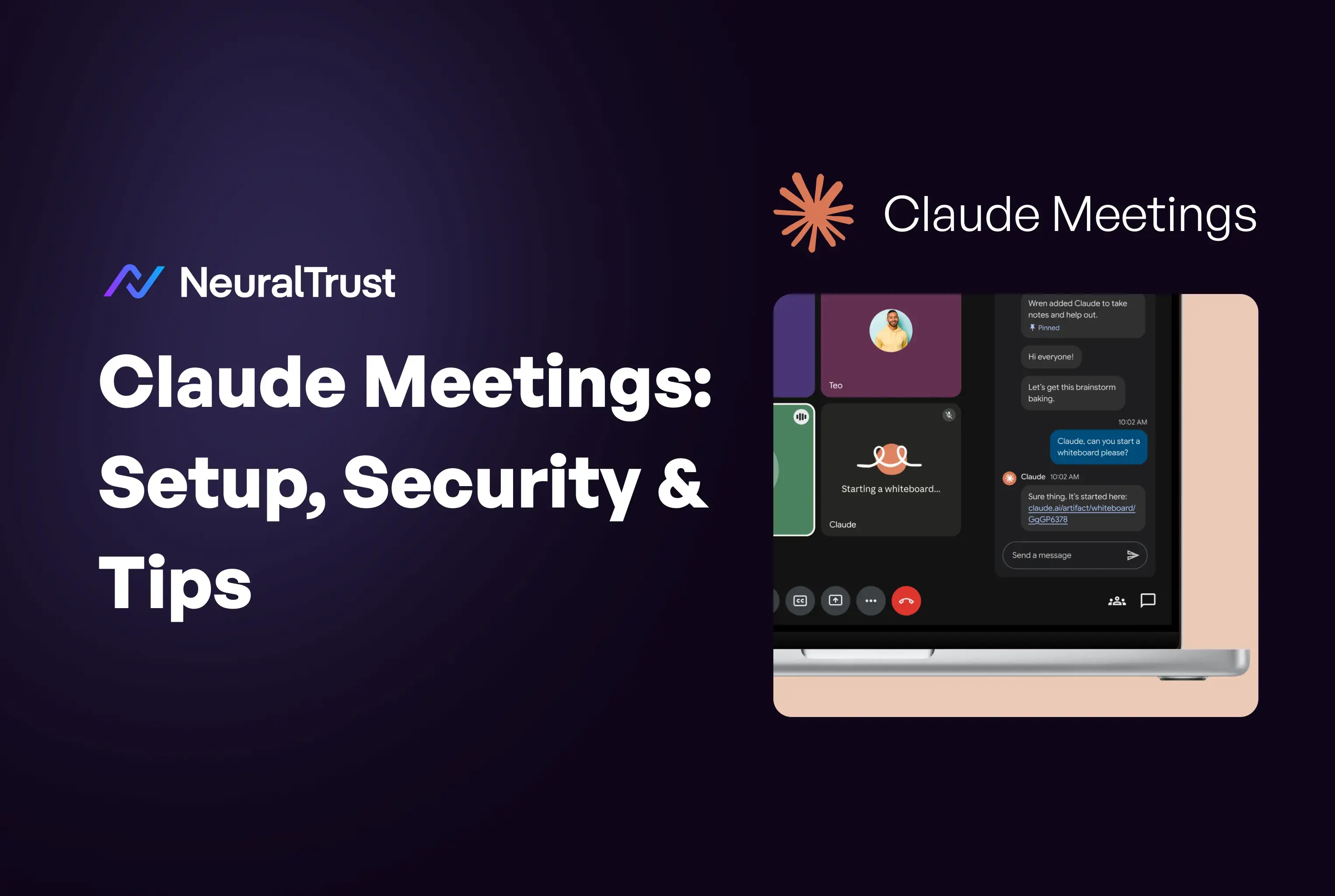
What is Claude Meetings? Claude Meetings lets you add Claude to a Google Meet call as a visible participant that takes notes, answers questions and builds docs and whiteboards while people talk. Anthropic put it in beta on Team and Enterprise plans on November 12, 2026. Meeting content is also an input that an attacker can try to steer.
TL;DR: Key Takeaways
- Claude Meetings is in beta on Team and Enterprise plans, for Google Meet only, announced as "coming soon" on November 10 and launched on November 12, 2026 (Anthropic).
- Setup takes an owner and a member: the owner enables Meetings and Google Calendar, then members add Claude to calls (Claude Help Center).
- Claude saves a transcript, summary and screen descriptions, not audio, and anything it posts in the Meet chat is visible to everyone on the call (Anthropic).
- Notes and transcripts are free in the beta, artifacts are free through February 10, 2027, and connected-tool use counts toward plan usage (Anthropic).
- Anthropic's own pages disagree on whether Team plans allow outside guests by default, so check the switch in your organization settings (Claude Help Center).
- Speech, chat and shared screens are untrusted input, so limit the connected tools Claude can use in a call (OWASP).
Claude Meetings at a Glance
Claude Meetings is a beta feature of Claude for Team and Enterprise plans. Claude joins a Google Meet call, posts a notice, listens, answers in writing and builds documents and whiteboards live. Afterward, a per-meeting page in claude.ai holds the notes, action items, transcript and everything Claude made.
| Spec | What Anthropic says |
|---|---|
| Status and date | Beta since November 12, 2026; "coming soon" in Anthropic's November 10 post |
| Plans | Team (on by default, owner can turn off) and Enterprise (owner turns on for all or part of the organization) |
| Video platform | Google Meet only; others "coming soon", no dates |
| What it keeps | Transcript, summary and screen descriptions, not audio |
| Not available in beta to | Organizations with zero data retention (ZDR), a HIPAA-ready configuration or customer-managed encryption keys (CMEK) |
Source: Anthropic and Claude Help Center (2026). TechCrunch reported on November 10 that Claude identifies itself in the call and posts a notice (TechCrunch).
How we researched
On November 13, 2026 we read Anthropic's launch post, the Claude Help Center article, Anthropic's November 10 post and TechCrunch's report, plus OWASP's lists and reporting on AI notetakers. We did not test Claude Meetings, and we found no published injection test or incident for it, so the threat model below is our analysis.
How to Set Up Claude Meetings
To set up Claude Meetings, an owner turns it on in Organization settings and enables Google Calendar, then each member opens Meetings in Claude, connects Google Calendar, picks a call and clicks Add Claude. Team plans have it on by default, while Enterprise owners must enable it first.
Owner steps come first, because they decide what members can do:
- Open Organization settings, then Products, then Claude Meetings (beta). Choose off, on for roles or on for everyone.
- Enable Google Calendar for the organization. Members cannot connect their calendars until an owner does.
- Review "Meetings with external guests" and "Members' connectors in meetings", which are the two switches that change your risk.
Members then add Claude to a call:
- Go to Meetings in Claude or Claude Desktop and connect Google Calendar.
- Select a meeting on the calendar and click Add Claude.
- Tell everyone on the call. Anthropic says to make sure they are okay with being transcribed first.
| Control | Where | Options |
|---|---|---|
| Claude Meetings | Organization settings, Products | Off, on for roles, on for everyone |
| Meetings with external guests | Organization settings, Products | Internal only or allowed |
| Members' connectors in meetings | Organization settings, Products | Controls whether Claude may use members' connected tools |
| Auto-join | Settings, Capabilities, Meetings | All meetings or all except one-on-ones; owners cannot set it for you |
Source: Claude Help Center (2026). On Enterprise, custom roles can also control access to Meetings and to external-guest calls.
Claude usually joins without asking. If it asks, the host can let it in, and if the host declines, Claude does not retry that call unless someone adds it. If you already use connectors, our Claude connectors guide explains the permissions Claude inherits.
What Claude Does During and After a Call
During a call, Claude answers when someone says "Claude" and asks a question or types in the Meet chat, builds docs, whiteboards and other artifacts on request, and uses connected tools with the asker's permission. After the call, it leaves notes, action items and a transcript on the meeting page, and people on the invite get a recap email.
| Moment | What Claude does | Who sees it |
|---|---|---|
| In the call, chat | Answers in writing by default | Everyone on the call |
| In the call, artifacts | Builds docs, whiteboards and slides when asked | People from your organization on the invite, via the meeting page |
| In the call, tools | Uses a person's connected tools, for example sending a Slack message | The person who approved it; results posted in chat are public to the call |
| After the call | Notes, action items, transcript, recap email | People from your organization on the invite; shareable inside the organization |
Source: Anthropic and Claude Help Center (2026). Later, you can ask Claude about past meetings you can access in a regular chat.
Claude's tile in the call shows its current state, so everyone can see whether it is listening or working. You can pause Claude by asking it to stop listening or from the meeting page, and ask it to leave or select Remove Claude. It can stay up to eight hours and warns you before it leaves. Transcript export through partners such as Gong and Granola is promised, without a date.
Pricing, Plans and Limits
Claude Meetings has no separate price during the beta. Notes, transcripts and answers that do not use connected tools are included on Team and Enterprise plans, and docs and whiteboards made in a call are free through February 10, 2027. Connected-tool use counts toward your usage and can lead to charges for your organization.
| Item | Cost during the beta | Limit |
|---|---|---|
| Notes, transcripts, answers | Included on Team and Enterprise | Answers that use a connected tool are excluded |
| Docs, whiteboards, artifacts | Free through February 10, 2027 | No price published after that date |
| Connected-tool use | Counts toward plan usage; may lead to charges | Controlled by the connectors switch |
| Excluded organizations | Not available with ZDR, HIPAA-ready or CMEK setups | Beta restriction |
Source: Anthropic and Claude Help Center (2026). We found no post-beta price, and neither page states how long transcripts and meeting pages are kept.
One more limit is a contradiction. Anthropic's launch post says Claude stays out of calls with outside guests by default. The Help Center says Team plans allow them by default, while Enterprise owners must allow them first. Team owners should read the switch rather than trust either page.
Security and Governance: Running Claude Meetings Safely
The main security risk of Claude Meetings is that a meeting is a prompt. Everything said, typed or shown on screen reaches a model that can then act through connected tools. According to OWASP (2026), Prompt Injection is LLM01, Sensitive Information Disclosure is LLM02 and Excessive Agency is LLM03 (OWASP LLM Top 10 2026).
Meeting content as an untrusted prompt channel
OWASP describes indirect prompt injection as content from external sources that alters a model's behavior when it is parsed, even if humans cannot see it (OWASP). In a meeting, the external sources are other participants. Anthropic says guest speech goes into the notes and transcript, and Claude saves descriptions of shared screens. A guest or a third-party bot could say or show text meant for Claude.
We found no published injection test against Claude Meetings, so this is a threat model, not a finding. TechTarget (2026) writes that malicious prompts can make AI meeting agents silently record and share meetings. Anthropic limits the surface: on guest calls Claude does not reply in chat.
Consent and recording law
Many jurisdictions require consent from some or all parties to record a call, and AI notetakers have drawn lawsuits. A proposed class action filed on August 15, 2025 alleges that Otter.ai recorded participants without consent from all parties under federal and California law (PPC Land, 2025). These are allegations, not findings. TechTarget (2026) adds that most vendors push consent obligations onto the customer.
Anthropic does the same: its pages tell you to make sure everyone is okay with being transcribed. Storing no audio is a design choice, but whether that changes your obligations is a question for your lawyer. This section is general information, not legal advice.
Over-sharing and data leakage
Claude's answers in the Meet chat are visible to everyone on the call, and the meeting page and recap email reach everyone from your organization on the invite. Anthropic's own example has Claude look up last year's event cost and post it in chat. That is useful, and it can also put data in front of people who could not open the source, which is the LLM02 risk.
Connector actions triggered from meeting content
Claude uses each person's connected tools with that person's permission. It asks the first time, and a yes applies going forward. When someone asks out loud, it asks each time to confirm who is speaking. A standing yes plus a request steered by what was said is what OWASP calls Excessive Agency (LLM03). OWASP's mitigations for it are minimal extensions, minimal permissions, running in the user's context and human approval for high-impact actions (OWASP, 2025 edition).
| Risk | How it can appear in a meeting | OWASP reference |
|---|---|---|
| Injection through speech, chat or screens | A guest or bot says or shows instructions meant for Claude | LLM01 Prompt Injection, ASI01 Agent Goal Hijack |
| Over-sharing | A tool result posted in chat or on the meeting page reaches the wrong people | LLM02 Sensitive Information Disclosure |
| Tool misuse | A standing yes lets a tool run on a request steered by meeting content | LLM03 Excessive Agency, ASI02 Tool Misuse |
| Borrowed identity | An action runs under one person's permissions on another person's prompt | ASI03 Identity and Privilege Abuse |
| Approval fatigue | A person approves a request without reading it | ASI09 Human-Agent Trust Exploitation |
Source: OWASP LLM Top 10 2026 and Top 10 for Agentic Applications 2026. The mapping is our analysis.
Controls that hold in practice
- Keep outside guests off unless a business case requires them, and re-read the switch after any plan change.
- Turn off "Members' connectors in meetings" for the pilot, or restrict each connector to read-only tools.
- Do not let a request such as "do what we just agreed" trigger write tools without a person reading the approval prompt.
- Skip auto-join for one-on-ones, HR, legal, incident and customer-sensitive calls, and pause Claude during sensitive segments.
- Check who is on the invite before the call, because the meeting page and recap go to all of them.
- Keep a human in the loop for any action that sends, deletes or pays, as our human-in-the-loop guide explains, and vet connected servers with our MCP security best practices.
NeuralTrust does not sit inside Claude Meetings, and a gateway sees only the traffic routed through it. For tools your team runs as MCP servers, the Agent Gateway (TrustGate) applies per-tool access and logs to every call, whichever client or meeting triggered it, and ships with 200+ pre-built MCP servers. For your own agents that process meeting content, Agent Runtime Security (TrustGuard) inspects inputs and tool calls and can allow, block or transform them. Our OWASP agentic guide covers the wider threat model.
Practical Tips for the First Month
The best way to start with Claude Meetings is a single internal call with the people who will use it. Announce Claude, keep auto-join off, ask for decisions and owners, and read the meeting page afterward. Widen only once you have seen what Claude posts and who sees it.
| Situation | Tip | Why |
|---|---|---|
| First week | Add Claude by hand to one internal call | Auto-join then depends on a choice you have tested |
| Action items | Ask Claude to list decisions and owners before the call ends | The recap goes to people on the invite |
| Tool use | Start with one read-only request | A first yes becomes a standing yes |
| Sensitive segment | Ask Claude to stop listening, then resume from the meeting page | Pausing is built in |
| After the call | Ask about the meeting in a regular chat | Past meetings you can access are searchable |
Conclusion
Claude Meetings is a careful beta that puts Claude in the call as a visible participant and keeps text, not audio. Pilot it, resolve the guest default, tell everyone about the transcript and limit connected tools until you see what Claude posts. Treat the meeting as untrusted input, with a person on every action that changes something.
Secure Claude Meetings Workflows in Production with NeuralTrust
Control which agents and users reach which tools, with per-tool permissions, audit trails and real-time inspection.
Related articles
- Claude Connectors: Setup and Security
- Claude Code Plugins: Guide and Security
- Claude Code Skills: The Complete Guide
- Claude Duet Security for Enterprises
FAQs about Claude Meetings
1. What is Claude Meetings?
Claude Meetings lets Claude join a Google Meet call as a visible participant. It answers in writing, builds docs and whiteboards live, and leaves notes, action items and a transcript on a meeting page in claude.ai. It is in beta on Team and Enterprise plans.
2. How do I add Claude to a Google Meet call?
Open Meetings in Claude, connect Google Calendar, select a meeting and click Add Claude. An owner must enable Google Calendar first, and on Enterprise also Claude Meetings. You can also turn on auto-join under Settings, Capabilities, Meetings.
3. Does Claude Meetings work with Zoom or Teams?
Not yet. Anthropic says support is currently available for Google Meet only, and that other video conferencing platforms are coming soon. It gives no dates.
4. Is Claude Meetings free?
During the beta, notes, transcripts and answers are included on Team and Enterprise plans. Docs and whiteboards made in a call are free through February 10, 2027. Answers that use a connected tool count toward your usage and can lead to charges for your organization.
5. Does Claude record meetings?
Claude saves a transcript, summary and screen descriptions, not audio. It posts a notice in the chat, but Anthropic still tells you to make sure everyone is okay with being transcribed. Whether that satisfies local consent law is a question for your lawyer.
6. Can Claude Meetings join calls with outside guests?
Only if an owner allows it, and the default is unclear. The launch post says Claude stays out by default, while the Help Center says Team plans allow it and Enterprise plans do not. On guest calls Claude does not reply in chat, but guest speech is in the transcript.
7. Is Claude Meetings safe for sensitive meetings?
It has sensible defaults, but it is a beta that excludes ZDR, HIPAA-ready and CMEK organizations. Meeting content can carry instructions and chat answers are visible to everyone. Keep sensitive calls manual, limit connectors and read what Claude posts.
About the Author
Roger Howroyd is Head of Global SEO and AI at NeuralTrust, where he leads the company's search strategy across SEO, AEO, GEO, and LLM optimization. He specializes in AI-powered search, content strategy, and SEM. Connect on LinkedIn.
NeuralTrust is the leading platform for securing and scaling AI agents. Named a Pioneer in the Gartner Emerging Market Quadrant for AI Application Security 2026, recognized across four Gartner Hype Cycle reports in 2026, and featured in the Gartner Market Guide for Guardian Agents 2026, the Gartner Market Guide for AI Gateways 2025 and the KuppingerCole Leadership Compass for Generative AI Defense 2025. Headquartered in Barcelona with offices in London and New York. ISO 27001 certified.
Sources
Accessed on November 13, 2026.
- Anthropic, "Introducing Claude Meetings, now in beta", November 12, 2026.
- Claude Help Center, "Use Claude Meetings", 2026.
- Anthropic, "More ways to work with Claude: Sheets, Whiteboards, and Interactive Connectors", November 10, 2026.
- TechCrunch, "Anthropic launches Claude Meetings to turn workplace discussions into plans and tasks", November 10, 2026.
- OWASP GenAI Security Project, "OWASP Top 10 for LLM Applications 2026", August 2026.
- OWASP GenAI Security Project, "OWASP Top 10 for Agentic Applications for 2026", December 9, 2025.
- OWASP GenAI Security Project, "LLM01: Prompt Injection" and "LLM06:2025 Excessive Agency", 2025 edition text.
- TechTarget, "Securing AI meeting assistants: What IT leaders need to know", June 29, 2026.
- PPC Land, "Otter.ai faces class action lawsuit for unauthorized meeting recording", August 20, 2025.