Last updated: November 13, 2026
How do you secure Microsoft 365 Copilot? Microsoft 365 Copilot security starts with the tools the assistant can reach, because Microsoft hosts the model, so your exposure sits in the tools and data Copilot connects to. Today NeuralTrust announces an integration that routes those MCP tools through Agent Gateway (TrustGate) and screens their calls and results with Agent Runtime Security (TrustGuard).
TL;DR: Key Takeaways
- The integration governs the MCP tools Microsoft 365 Copilot can reach, with 2 paths: governed tool access and threat detection (NeuralTrust Docs).
- There are 2 deployment routes. A declarative agent is confirmed in the Copilot app, Word and Excel, and a federated connector in the Copilot app (NeuralTrust Docs).
- A TrustGuard policy applies 7 detectors to tool calls and results, and in Enforce mode a blocked result never reaches the model (NeuralTrust Docs).
- EchoLeak (CVE-2025-32711, CVSS 9.3) leaked Copilot data with no user click, and Microsoft needed no customer action to address it (The Hacker News).
- 2 things sit outside the perimeter: the chat conversation and the document open in Word or Excel (NeuralTrust Docs).
- Microsoft Copilot Studio is a different product with its own integration page (NeuralTrust Docs).
Microsoft 365 Copilot Security at a Glance
The NeuralTrust integration secures the actions Microsoft 365 Copilot takes toward your systems. TrustGate publishes only approved MCP tools, ties each call to the signed-in user and keeps upstream credentials in the gateway. A TrustGuard policy can monitor or block tool calls and the results that come back. It does not sit between users and Microsoft's model.
| Item | Detail |
|---|---|
| What it is | An integration between NeuralTrust and Microsoft 365 Copilot, announced November 13, 2026 |
| What it secures | The MCP tools Copilot can reach, their arguments and the content they return |
| Two paths | Governed tool access (which tools exist, rate limits) and threat detection (content inspection) |
| Deployment routes | Declarative agent or federated connector, which can run side by side |
| Outside the perimeter | The chat conversation and the open Word or Excel document |
| Not the same as | Microsoft Copilot Studio, which has its own NeuralTrust integration |
Source: NeuralTrust Docs (2026).
How we researched
On November 13, 2026 we read the NeuralTrust documentation for the integration, Microsoft Learn, two NVD records and press coverage of EchoLeak. We did not run the setup in a Microsoft tenant for this article, so Office-pane notes carry the documentation's advice to verify in your own tenant.
Why Microsoft 365 Copilot Needs Its Own Security Layer
Microsoft 365 Copilot reads your mail, files and connected systems, and anything it reads can carry instructions. Microsoft has fixed serious Copilot flaws, including EchoLeak in 2025, and the SearchLeak chain received a CVE in 2026. A fix covers Microsoft's code, though, and does not govern which tools your own Copilot can call or what they return.
According to The Hacker News (2025), EchoLeak was rated critical at CVSS 9.3 and let an attacker pull data out of Copilot's context with no user interaction. Aim Security, which reported it, called it an LLM scope violation enabling indirect prompt injection. There was no evidence of malicious use in the wild.
| Case | Identifier | What happened | Source |
|---|---|---|---|
| EchoLeak | CVE-2025-32711, published June 11, 2025 | Command injection in M365 Copilot allowed information disclosure over a network; scored 9.3 by Microsoft and 7.5 by NVD | NVD |
| SearchLeak | CVE-2026-42824, published June 5, 2026 | The same class of flaw, reached through one click on a link to a trusted domain | NVD, our SearchLeak analysis |
Source: NVD and The Hacker News (2025, 2026).
Both flaws sat inside Microsoft's own Copilot components. The integration in this article governs a different surface, the MCP tools your organization connects to Copilot, and we do not claim it would have stopped either flaw. The shared lesson is narrower: content a model retrieves can carry instructions.
The gap that remains: tool results
Microsoft says a custom federated connector starts with an MCP server that exposes tools for Copilot to read data or act in internal systems (Microsoft Learn). According to NeuralTrust's documentation (2026), Microsoft filters what a user types and does not inspect what a tool returns, so an instruction hidden in a ticket or record reaches the model as retrieved content.
How the NeuralTrust Integration Works: Two Paths
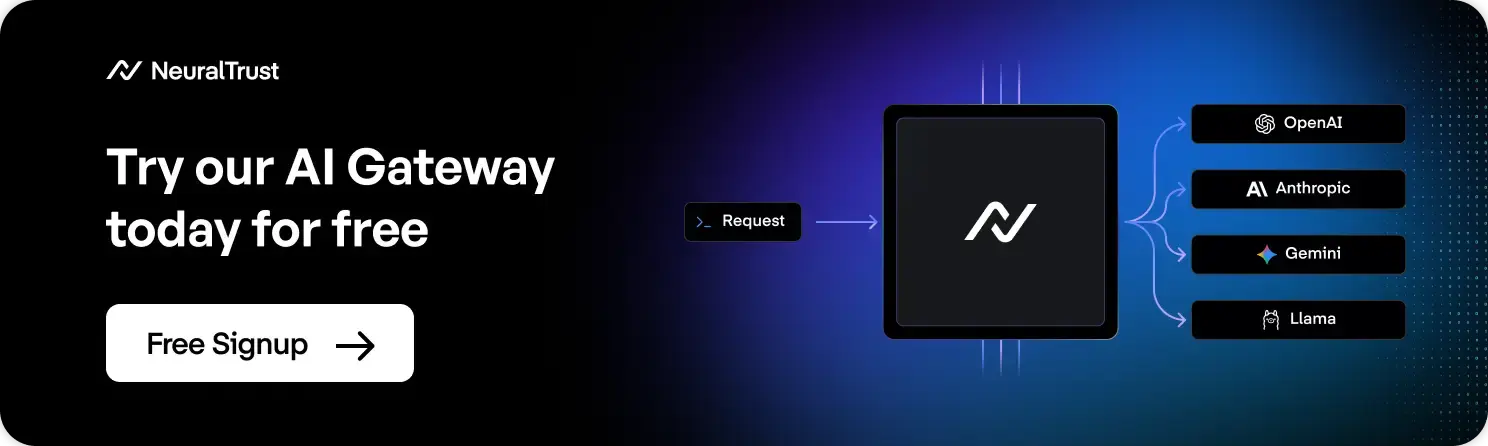
Microsoft 365 Copilot reaches your systems through remote MCP servers. You point that connection at a TrustGate application, so Copilot sees only the tools in that application's toolkit. Governed tool access decides which tools exist, and threat detection inspects the content that passes. You can use one path or both.
| Path | What it does | What you can enforce | Where you configure it |
|---|---|---|---|
| Governed tool access | Publishes the assigned MCP servers through one endpoint, limited to the application's toolkit | Tool access and rate limits | The TrustGate application and Copilot's MCP connection |
| Threat detection | A TrustGuard policy evaluates tools/call requests and CallToolResult responses | Monitor, Block or Transform | The TrustGate application |
Source: NeuralTrust Docs (2026).
Why enforcement sits at the credential
According to NeuralTrust's documentation, Microsoft 365 has no per-agent allowlist, so the control that holds is at the credential. When the MCP servers and upstream tokens exist only behind TrustGate, an agent nobody approved can be created but has nothing to connect to. Microsoft's admin controls remain a second layer.
Every call also carries the signed-in user's identity. TrustGate validates the token Microsoft Entra issued, reads the oid claim, and the call appears in TrustGate Activity under the end user's address.
Supported Surfaces and Deployment Routes
The two deployment routes point at the same TrustGate application, so the catalog, identity and policies behave the same on both. The Copilot app is confirmed on both routes, and Word and Excel are confirmed on the declarative agent route. Neither route requires the Microsoft Commercial Marketplace.
| Surface | Declarative agent | Federated connector |
|---|---|---|
| Microsoft 365 Copilot app | Confirmed | Confirmed |
| Word and Excel | Confirmed | Not available at the time of writing |
| PowerPoint and Outlook | Not confirmed | Not confirmed, verify in your own tenant |
Source: NeuralTrust Docs (2026). Microsoft lists PowerPoint and Outlook among experiences federated connectors support, but NeuralTrust's test did not show a custom connector in those panes.
A developer builds the declarative agent and an administrator publishes it, and it applies when a user invokes it. An administrator registers the federated connector in the Microsoft 365 admin center, and it applies in base Copilot with nothing to invoke. Choose the agent for control over instructions, the connector for tenant-wide coverage, or both. On the connector route, write tools default to Needs approval.
Microsoft 365 Copilot vs Copilot Studio: Two Different Products
Microsoft 365 Copilot is the Copilot built into Microsoft 365: the Copilot app and the Copilot pane in Word, Excel, PowerPoint and Outlook. Microsoft Copilot Studio is a separate product for building agents. NeuralTrust has a separate integration and documentation page for each, and this article covers only Microsoft 365 Copilot.
| Microsoft 365 Copilot | Microsoft Copilot Studio | |
|---|---|---|
| What it is | The Copilot in the Copilot app and Office panes | A low-code studio for building and managing AI agents and workflows |
| How NeuralTrust connects | Remote MCP server through a declarative agent or federated connector | Threat detection in the Power Platform admin center, per environment, plus governed MCP tool access, for agents using generative orchestration |
| Covered in this article | Yes | No |
| NeuralTrust documentation | Microsoft 365 Copilot | Microsoft Copilot Studio |
Source: NeuralTrust Docs and Microsoft Learn (2026).
The Microsoft 365 Copilot integration does not cover Copilot Studio agents. If you build agents there, use the Copilot Studio page and do not follow the setup below.
Setting Up the Integration
Setup takes four moves: register an application in Microsoft Entra, tell TrustGate to trust it, publish a TrustGate application, and deploy it to Copilot as an agent or a connector. Add the threat detection policy afterwards.
| Requirement | Notes |
|---|---|
| Microsoft 365 Copilot licence | On every account that will use it |
| Entra permissions | To register an application in your tenant |
| Teams Developer Portal access | To register the OAuth client |
| TrustGate workspace | With Agent Gateway provisioned, plus TrustGuard for detection |
| Global or AI Administrator | For the federated connector route |
Source: NeuralTrust Docs (2026).
- Register an Entra app for your tenant only, expose the scope
mcp.access, setrequestedAccessTokenVersionto 2, add the two Teams redirect URIs and create a client secret. - In TrustGate, add Entra as a trust anchor under Settings, Agent Gateway, Machine identity, with the
oidsubject claim. - Create a TrustGate application that accepts a JWT and copy its endpoint from the Connect tab.
- In the Teams Developer Portal, register an OAuth client with the scope
api://<appId>/mcp.access. - Deploy as a declarative agent with Microsoft 365 Agents Toolkit 6.12.0 or later, or as a federated connector under Copilot, Connectors, Gallery. Use Staged rollout first.
- Ask Copilot to use a tool and confirm the call appears in TrustGate Activity.
- For threat detection, create a collector and runtime policy in Agent Security, bind TrustGuard in the gateway catalog with direction
request_responseand switch the policy to Enforce.
The full steps are in the governed tool access guide and the threat detection guide. Before rollout, pin the calling client in Allowed client IDs, restrict the OAuth registration to the agent's Teams app and require assignment.
What the Integration Does Not Cover
The governed perimeter is every action Copilot takes toward your systems: which tools exist, who may call them, what arguments leave and what content comes back. The conversation and the open document sit outside it by Microsoft's architecture, and a few behaviors need planning before rollout.
| Limit | What it means | What to do |
|---|---|---|
| The conversation | What a user types goes to Microsoft's orchestrator and model, which applies its own filtering | Keep Microsoft's controls on |
| The open document | In Word and Excel the file on screen is not sent with the tool call, and the pane is locked to Chat only while an agent is selected | Do not rely on the tool seeing the document |
| PowerPoint and Outlook | Coverage is not confirmed | Test in your own tenant first |
| Propagation | Connector changes take up to 10 minutes, and Deploy to all users only reaches people inside User access | Use a staged rollout group |
| Blocked results | A blocked tool result reaches the agent as a failed request | Write instructions that handle failure |
Source: NeuralTrust Docs (2026).
Security and Governance: What the Detectors Catch
Threat detection targets the attacks that matter once Copilot has tools pointed at internal systems: instructions hidden in tool results, data leaving in arguments and exfiltration links. A TrustGuard policy applies 7 detectors, and in Enforce mode it blocks a call before the upstream server or a result before the model sees it.
| Detector | Direction | What it catches |
|---|---|---|
| Indirect Prompt Injection | Input | Instructions hidden in content a tool returns and in tool descriptions |
| Data Loss Prevention | Input and Output | Secrets and personal data in arguments and results |
| Microsoft Purview DLP | Input | What your own Purview DLP policies already block, evaluated in your tenant |
| URL Analyzer | Input | Exfiltration URLs carried in injected text |
| Prompt Guard | Input | Jailbreak attempts in the user's own prompt |
| Toxicity Detection | Input and Output | Abusive or unsafe language in arguments and results |
| Custom Moderation | Input and Output | Subjects you define, for scope control |
Source: NeuralTrust Docs (2026).
Start each rule on Monitor, which logs and allows, and read TrustGuard Activity before you set a rule to Block. The policy must be on Enforce and the rule on Block for traffic to stop. To test, plant an injected instruction in a record in a private space of a connected system and ask Copilot to summarize it, because typing it into chat tests nothing.
According to OWASP (2026), prompt injection is LLM01 and sensitive information disclosure is LLM02, and the agentic list covers Agent Goal Hijack as ASI01, Tool Misuse and Exploitation as ASI02 and Identity and Privilege Abuse as ASI03 (OWASP Agentic Top 10 2026).
| Risk | OWASP reference | How the integration responds |
|---|---|---|
| Instructions hidden in tool results | LLM01 Prompt Injection, ASI01 Agent Goal Hijack | Indirect Prompt Injection reads results, and Enforce blocks them before the model |
| Secrets and personal data in arguments or results | LLM02 Sensitive Information Disclosure | Data Loss Prevention and Microsoft Purview DLP |
| An unapproved agent reaching internal systems | ASI02 Tool Misuse and Exploitation, ASI03 Identity and Privilege Abuse | Credentials stay behind TrustGate, and each call carries the user's identity |
Source: OWASP LLM Top 10 2026 and Top 10 for Agentic Applications 2026. The mapping is our analysis.
These controls run in NeuralTrust's Runtime Security Mesh, which links the Agent Gateway and Agent Runtime Security. Our AI gateway vs MCP gateway guide explains why MCP traffic needs its own control point.
Which Setup Should You Choose?
Choose the declarative agent for control over instructions, the federated connector for tenant-wide coverage, and both when you need each. In every case add threat detection, starting in Monitor, because governed tool access alone does not read the content of tool results.
| Your situation | Recommended setup |
|---|---|
| You want to control how the assistant behaves when a tool is blocked | Declarative agent with your own instructions |
| You need Word or Excel coverage today | Declarative agent, the confirmed route for those panes |
| You want every Copilot user covered without invoking anything | Federated connector, rolled out in stages |
| You build agents in Copilot Studio | Use the Copilot Studio page, not this setup |
Conclusion
Microsoft 365 Copilot security depends on what Copilot can reach and what comes back. The NeuralTrust integration governs those MCP tools and screens their calls and results, while Microsoft keeps the conversation and the model. Start with a staged connector or a declarative agent, run TrustGuard in Monitor, check Office panes in your own tenant and keep Copilot Studio on its own page.
Secure Microsoft 365 Copilot in Production with NeuralTrust
Govern the tools Copilot can reach and inspect what comes back, with setup guides in our documentation and the Agent Gateway.
Related Comparisons
- SearchLeak: Why Do Legacy Web Vulnerabilities Persist in AI Agents?
- How to Secure Internal AI Assistants and Copilots
- AI Gateway vs MCP Gateway: Key Differences Explained
- MCP Security Best Practices Checklist
FAQs about Microsoft 365 Copilot Security
1. How do you secure Microsoft 365 Copilot?
Control the tools Copilot can reach and inspect what they return. NeuralTrust's integration routes Copilot's MCP connection through a TrustGate application and adds a TrustGuard policy that evaluates tool calls and results.
2. Does NeuralTrust sit between users and Microsoft's model?
No. Microsoft hosts model execution, and what a user types reaches Microsoft's orchestrator and model with no third party on that path. The integration covers the actions Copilot takes toward your systems: tools, arguments and returned content.
3. Is this the same as the Copilot Studio integration?
No. Microsoft 365 Copilot and Microsoft Copilot Studio are different products with separate NeuralTrust integrations and documentation pages. This integration does not cover Copilot Studio agents.
4. Which Microsoft 365 apps are covered?
The Copilot app is confirmed on both routes, and Word and Excel on the declarative agent route. Microsoft lists PowerPoint and Outlook for federated connectors, but NeuralTrust's test did not show a custom connector there, so verify in your own tenant.
5. What do you need to set it up?
A Microsoft 365 Copilot licence on every account, permission to register an Entra application, Teams Developer Portal access and a TrustGate workspace with Agent Gateway. Threat detection also needs TrustGuard, and the connector route needs a Global or AI Administrator.
6. Can it block a prompt injection hidden in a tool result?
Yes, for results that pass through TrustGate. With the Indirect Prompt Injection detector on and the policy in Enforce, a blocked result never reaches the model. Start in Monitor to review what it flags first.
7. Does Copilot need extra security if Microsoft already filters prompts?
According to NeuralTrust's documentation, Microsoft filters what a user types and does not inspect what a tool returns. EchoLeak showed Copilot can be steered by content it retrieves, so a control on tool results adds a layer an input filter does not.
About the Author
Roger Howroyd is Head of Global SEO and AI at NeuralTrust, where he leads the company's search strategy across SEO, AEO, GEO, and LLM optimization. He specializes in AI-powered search, content strategy, and SEM. Connect on LinkedIn.
NeuralTrust is the leading platform for securing and scaling AI agents. Named a Pioneer in the Gartner Emerging Market Quadrant for AI Application Security 2026, recognized across four Gartner Hype Cycle reports in 2026, and featured in the Gartner Market Guide for Guardian Agents 2026, the Gartner Market Guide for AI Gateways 2025 and the KuppingerCole Leadership Compass for Generative AI Defense 2025. Headquartered in Barcelona with offices in London and New York. ISO 27001 certified.
Sources
Accessed on November 13, 2026.
- NeuralTrust Docs, "Microsoft 365 Copilot", 2026.
- NeuralTrust Docs, "Microsoft 365 Copilot: governed tool access", 2026.
- NeuralTrust Docs, "Microsoft 365 Copilot: threat detection", 2026.
- NeuralTrust Docs, "Microsoft Copilot Studio", 2026.
- Microsoft Learn, "Set up custom federated connectors", 2026.
- Microsoft Learn, "Copilot Studio overview", 2026.
- NVD, "CVE-2025-32711", published June 11, 2025.
- NVD, "CVE-2026-42824", published June 5, 2026.
- The Hacker News, "Zero-Click AI Vulnerability Exposes Microsoft 365 Copilot Data Without User Interaction", June 2025.
- OWASP GenAI Security Project, "OWASP Top 10 for Agentic Applications for 2026", December 9, 2025.